
Lead assignment software
Lead assignment software that gives every enquiry an owner
A shared lead list only works when someone is responsible for each enquiry. WTS CRM lets an agency assign leads to named teammates, keep the next follow-up visible and reassign work with the conversation history still attached.
Where shared lead lists break down
Everyone assumes someone else replied
An enquiry appears in the shared list, but nobody takes responsibility for the first useful response.
Two people contact the same prospect
Without a clear owner, teammates repeat questions and make different promises.
Leave creates a sales backlog
An absent teammate takes the context with them unless the next person can read the record.
Ownership inside the sales workflow
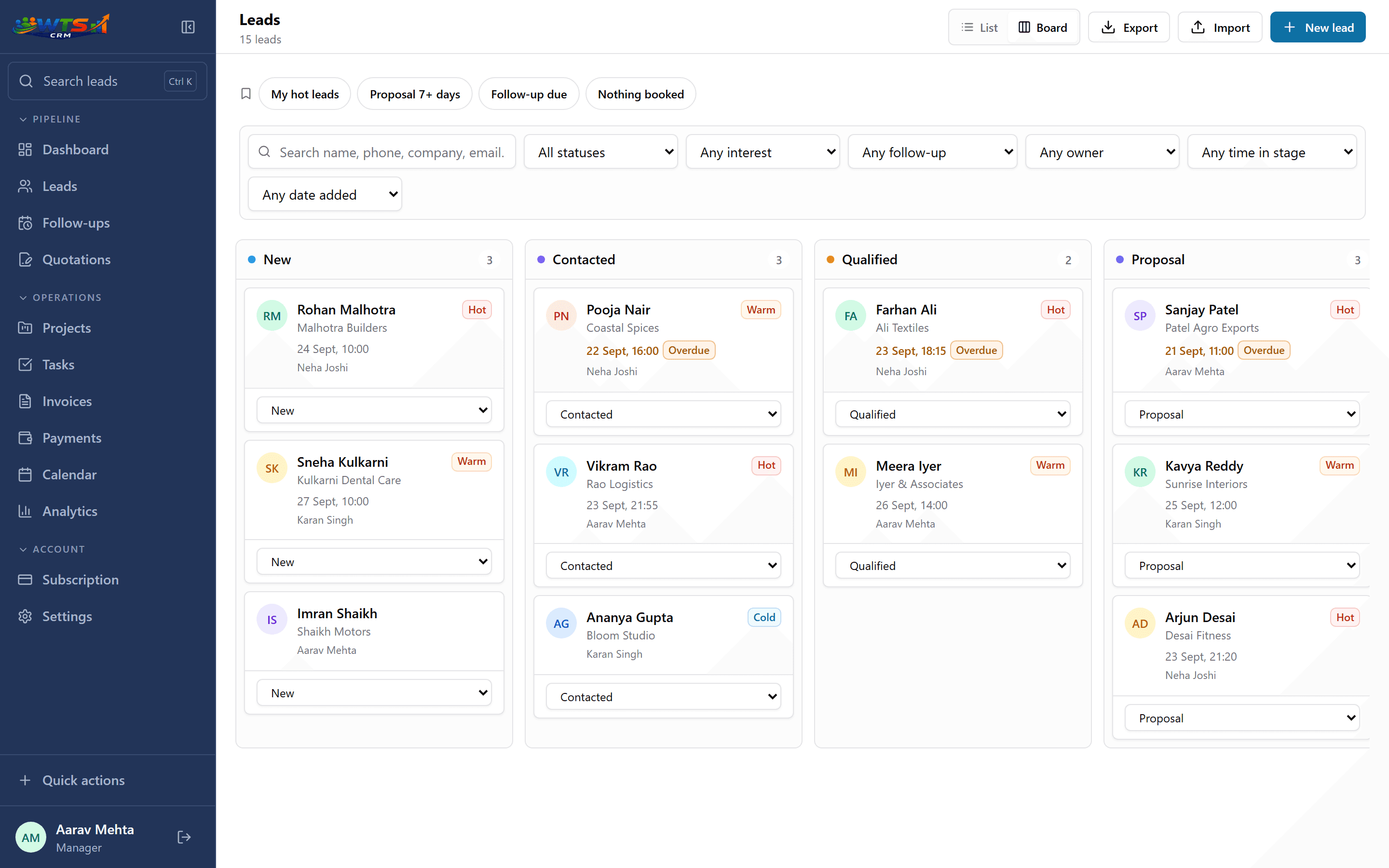
Named lead owners
Assign a record to a teammate so there is a clear person responsible for the conversation.
Role-based visibility
Members see their assigned leads; owners and admins can oversee the shared workspace.
Context on the lead
Read notes and the lead timeline before a handover, then record what the new owner should do next.
A follow-up queue
Use follow-up tracking to turn responsibility into a dated action.
One shared pipeline, clear responsibility
A simple assignment routine
Review the enquiry
Check the source, service requested and any existing conversation before allocating it.
Choose the owner
Match the enquiry to a teammate who has the capacity and knowledge to respond.
Set the next action
Record the immediate task and a realistic follow-up date.
Review and reassign
Check overdue work and planned absences; reassign the record with a short handover note when needed.
Choose an assignment policy before adding rules
A small agency can start with a written policy: route enquiries by service knowledge, check the active workload and name a backup for leave. The software records who owns the lead; the policy explains why.
WTS CRM supports assignment and reassignment. Do not assume that every new source automatically distributes enquiries in a round-robin queue. Start with the lead assignment playbook and test your actual workflow during the trial.
Make a handover useful
Before changing the owner, add the requested service, the last conversation, outstanding questions and the next action. Check the pending follow-up after the change so the new owner knows what is due.
Keep the same lead record rather than copying it to another spreadsheet. That gives the next salesperson a place to pick up the conversation.
What clear ownership changes
- Give every active enquiry one accountable owner.
- Members work assigned records while owners and admins oversee the workspace.
- Keep notes and follow-ups on the record when responsibility changes.
- Review workload alongside overdue work before allocating more leads.
Shared lead ownership on Team
Team includes 5 seats with roles and assignment for ₹2,499 a month. See the Team plan for current limits and seat pricing.
Team
₹2,499 / month
- 5 seats
- Owner, admin and member roles
- Lead, task and follow-up assignment
- Team activity dashboard
- Unlimited clients and leads
- Projects, quotations, invoices and payments
The trial unlocks every feature for 3 days and asks for no card. Choose a plan only when it ends.
Frequently asked questions
What is lead assignment software?
It records which salesperson is responsible for each enquiry and helps the team organise the next action. In WTS CRM, assignment sits alongside the lead history and follow-up workflow.
Can a manager see the whole pipeline?
Owners and admins can oversee the workspace, while members work with leads assigned to them.
Does WTS CRM automatically assign leads round-robin?
This page describes assigning and reassigning leads to named teammates. It does not promise an automatic round-robin distribution system.