
CRM for IndiaMART leads
CRM for IndiaMART leads: reply first, then follow up until they decide
IndiaMART buyers send the same enquiry to several sellers, and the first credible reply usually wins the conversation. WTS CRM receives each enquiry the moment IndiaMART pushes it, tags it, assigns an owner and books the next step, so it never waits for someone to open the seller panel.
What happens to IndiaMART enquiries today
They wait for someone to log in
The enquiry sits in the seller panel or a notification until a person happens to look, and by then another seller has replied.
Copied by hand into a sheet
Someone retypes the buyer’s number and the product they asked about, and a wrong digit means the buyer is never called.
Nobody owns the reply
Several people can see the enquiry, so each assumes another has already called.
No second touch
A buyer who did not pick up the first call is rarely tried again, because nothing was booked.
How IndiaMART leads flow into WTS CRM
One private URL per source, set once in IndiaMART. After that the enquiries arrive on their own.
A push URL for your seller account
In Settings → Lead sources, pick the IndiaMART card and copy its URL. You paste it into the CRM integration or Push API setting of IndiaMART’s Lead Manager.
The fields you need to call back
Each lead has the buyer’s name, mobile, email, company and message, and the product they asked about in the lead’s note.
A tag, a source and an owner
Leads are tagged indiamart, show IndiaMART as their source and go to the default owner you choose, so none arrive unassigned.
Repeat buyers are recognised
When the same phone number or email is delivered again, a note is added to the existing lead and no second record is created.
A follow-up when you move the stage
Moving a lead to Contacted books the next follow-up, and the 9:00 email lists what is due. See lead follow-up software.
A log that shows the link is alive
Recent deliveries lists what arrived and why anything was rejected, and the source shows when it last received a lead.
Where an IndiaMART enquiry lands
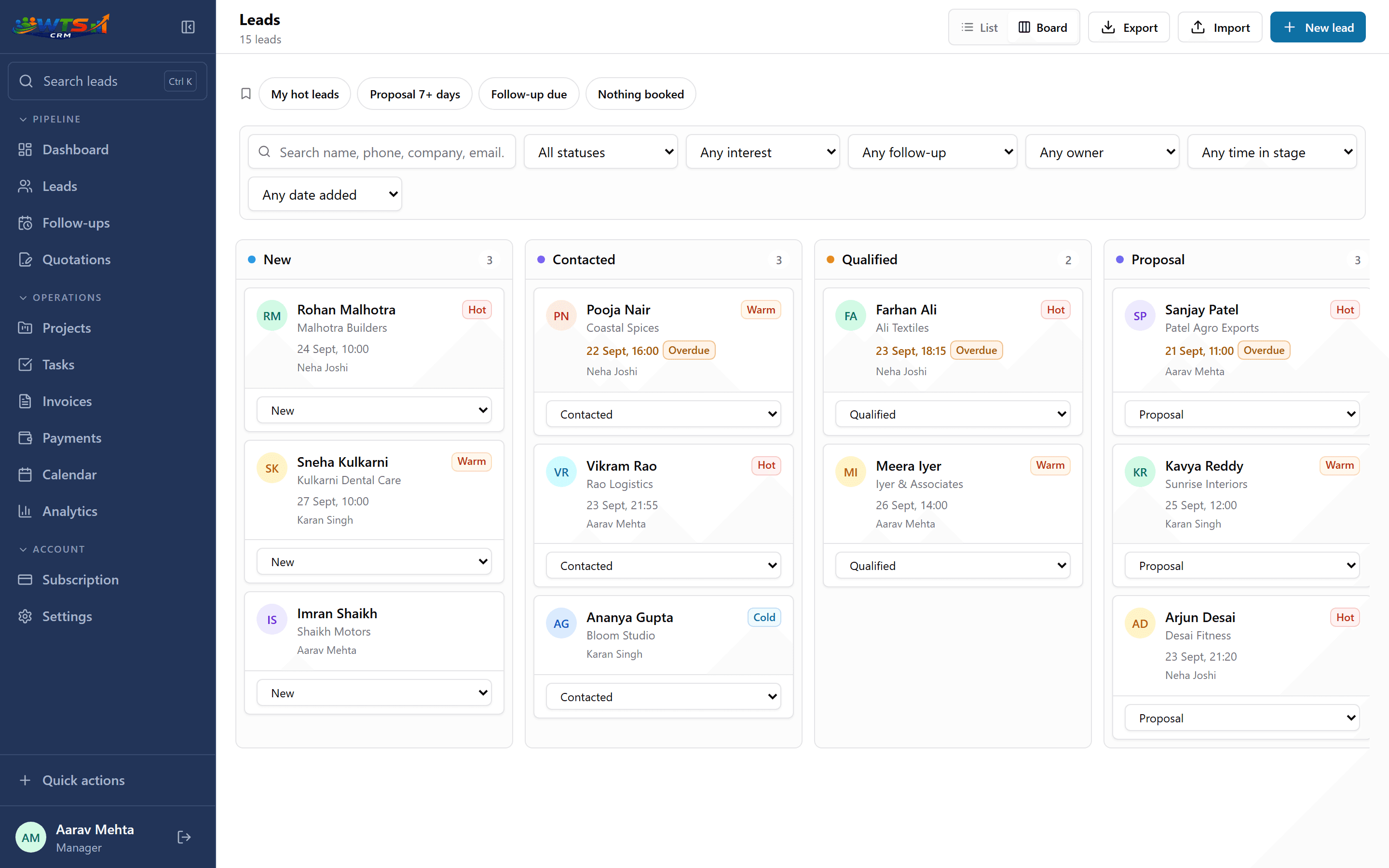
From buyer enquiry to quotation
Short enough to run all day, because speed is the point of IndiaMART.
Connect the source once
Create the IndiaMART source, choose the default owner and paste the URL into Lead Manager.
Reply while the buyer is still looking
The owner calls or messages straight away, using a saved WhatsApp template for the first reply.
Qualify and book the next step
Note the quantity and need, then move the stage so the next follow-up is booked.
Send a quotation
Build a GST quotation from the lead, share it as a link, and get told when the buyer opens it. See CRM with quotations.
Invoice and collect
Convert the accepted quotation into a GST invoice and record the payments.
What to check before you rely on it
The push comes from IndiaMART, not from WTS CRM. Some IndiaMART accounts need the Lead Manager Push API to be switched on by their account manager before the setting appears, so ask early. After connecting, send a test enquiry or wait for a real one and check Recent deliveries.
WTS CRM does not buy, unlock or reply to leads inside IndiaMART, and it does not change what IndiaMART charges. It organises the enquiries once they arrive: owner, follow-ups, quotation, invoice. IndiaMART enquiries are often price checks, so assign them to your fastest responder and keep a short quotation ready.
Who uses it this way
Manufacturers and traders
Many enquiries a week, most of them price checks, a few of them real orders.
Service providers listed on IndiaMART
Fewer enquiries, each worth a proper quotation. See CRM for service businesses.
Small sales teams
Several people sharing the enquiries, with each owner’s overdue calls visible. See CRM for small sales teams.
Businesses with other lead sources too
IndiaMART, a website form and Google Ads in one list. See website lead capture.
What changes when IndiaMART feeds the CRM
- Every enquiry arrives with the buyer’s name, mobile, email, company and message, and the product they asked about is kept in the note.
- Each lead has an owner from the first minute, so there is one person accountable for the reply.
- A buyer who enquires twice is added to the existing lead, not entered as a stranger.
- The indiamart tag lets you compare how many of these enquiries become paying customers.
What it costs
Captured enquiries land in the lead list that every plan includes. Solo (₹999 a month) adds the quotations and invoices that turn an enquiry into an order; Team (₹2,499) adds 5 seats so enquiries can go to the right person. Starter (₹499) covers leads and follow-ups for one person.
Solo
₹999 / month
- One owner workspace
- Unlimited clients and leads
- Projects and task tracking
- Quotations and GST invoices
- Payment records and receivables
- All core CRM features
The trial unlocks every feature for 3 days and asks for no card. Choose a plan only when it ends.
Frequently asked questions
How do I connect IndiaMART to a CRM?
In WTS CRM, create an IndiaMART lead source in Settings and copy its URL. In IndiaMART’s seller panel, open Lead Manager and paste the URL as the push URL in the CRM integration or Push API setting. If you do not see the option, ask your IndiaMART account manager to enable it.
What details come with each IndiaMART lead?
The buyer’s name, mobile, email, company and message. The product they asked about is saved in the lead’s note.
Will two enquiries from the same buyer create two leads?
No. When a delivery has a phone number or email that matches an existing lead, a note is added to that lead instead.
Can I see which IndiaMART leads become customers?
Yes. Leads carry the IndiaMART source and the indiamart tag, so you can filter them and see how many reach Won compared with your other sources.
Does it reply to buyers inside IndiaMART?
No. You call or message the buyer yourself, and WhatsApp can be opened from the lead with a saved template. WTS CRM does not send messages through IndiaMART.
Is the IndiaMART connection available on every plan?
Lead sources are part of the lead list that every plan includes. Quotations and invoices need Solo or above.